Automation is a frequently used word in modern manufacturing. The real challenge, however, comes when you’re not deploying it on serial production of thousands of identical parts, but into a highly variable, custom-job environment. That was exactly the task in front of us on a project for GDP Koral.
The result is a unique add-on for Autodesk Fusion that fully digitally connects the CAM software directly to the hardware of a custom CNC machine built by the Czech manufacturer Houfek, controlled by a Fanuc system.
Quick summary
- Client: GDP Koral — custom machining of plastic profiles.
- Machine manufacturer: Houfek a.s. (Czech CNC machine builder).
- Machine type: custom CNC machining center with automatic beams and interchangeable fixtures/jigs.
- CNC control system: Fanuc.
- Software environment: Autodesk Fusion (API add-on developed by CCSOFTCZ).
- Core technologies: Fanuc FOCAS library (bidirectional Ethernet communication), custom CAM postprocessor, machine digital twin, automatic setup generation.
- Main benefit: setup times cut from hours to minutes, with collisions caught before they happen thanks to real-time feedback.
In this article we walk through the technical background of the development, show how we handle automatic positioning of beams and interchangeable fixtures, and explain the role that bidirectional communication over the Fanuc FOCAS library plays in the whole ecosystem.
The starting point: a complex custom Houfek machine
GDP Koral purchased a specialized custom machine for machining plastic profiles from the Czech manufacturer Houfek. In terms of design and flexibility, it’s a top-tier piece of technology:
- Automatic beams — the machine has movable beams that must flexibly adapt to the length and shape of the profile being machined.
- Interchangeable fixtures/jigs — swappable fixtures (jigs) are used to safely and precisely clamp specific plastic profiles. Each profile type requires a different configuration.
- Fanuc control system — the entire machine runs on the robust and reliable industrial Fanuc control.
The customer’s goal was clear: minimize setup times as much as possible. Manually repositioning the beams, manually selecting fixtures, and lengthy on-panel programming for every new part would have wiped out the benefits of such advanced hardware. The process had to be digitized end to end — from the 3D model all the way to the machine’s actual motion.
The technical solution: a custom Autodesk Fusion add-on
As specialists in software development for CNC and CAD/CAM systems, we used Autodesk Fusion’s open API platform. Working closely with Houfek’s own engineers, we adapted the Fanuc control system and developed a custom add-on that became the brain of the entire technological chain.
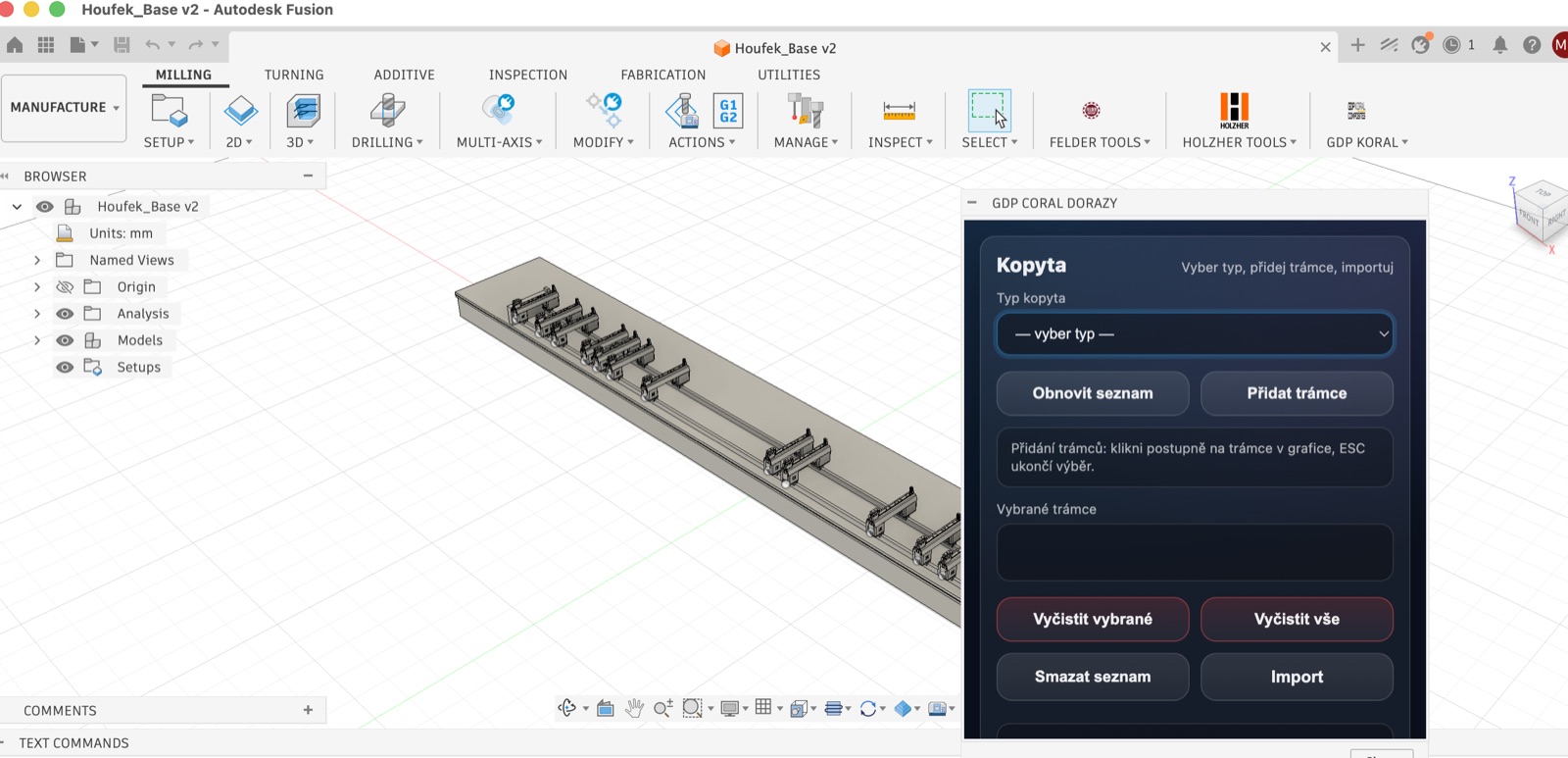
How it works in practice
- A specially adapted machine model — we built an accurate digital twin (3D model) of the Houfek machine directly in Autodesk Fusion.
- Automatic machining setup — the add-on automatically analyzes the imported plastic profile and proposes an optimal machining Setup.
- Intelligent linking of fixtures and beams — in the add-on’s menu, the user picks a specific fixture type, and the software automatically “binds” those 3D fixtures to specific beams.
- Beam motion control — the add-on automatically calculates safe and collision zones and defines beam movements so they never collide with the tool.
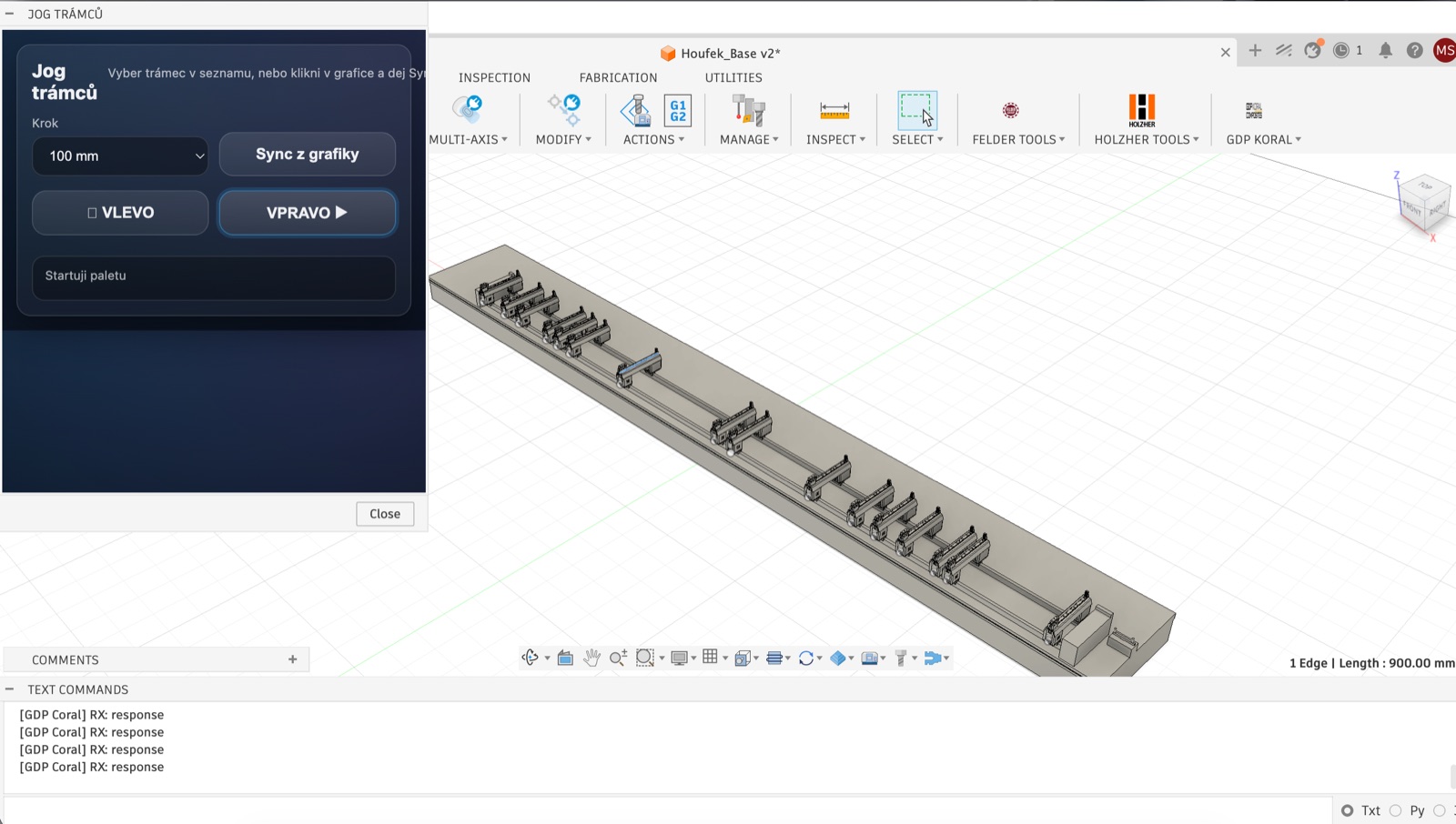
Do you run an unusual custom machine and want to connect it digitally to CAD/CAM? Let's talk through what a solution could look like for your shop.
Get a free consultation →The heart of the system: the postprocessor and the Fanuc FOCAS library
Generating correct G-code in the CAM software is only half the battle. The real power of the solution lies in bidirectional communication. The whole system rests on two pillars.
1. An advanced postprocessor
The custom-built postprocessor doesn’t just define toolpaths for milling the plastic itself — it also packages machine-specific macros and instructions for controlling the automatic beams into the resulting NC program. The machine reads that information and knows exactly where the clamping elements need to move before the cycle starts.
2. Feedback via Fanuc FOCAS
What pushes this solution into Industry 4.0 territory is the integration of the Fanuc FOCAS library (Fanuc Open CNC API Specifications). Thanks to this library, our Autodesk Fusion add-on can communicate with the running machine in real time over Ethernet.
If an operator physically adjusts a beam’s position on the shop floor, or if the real machine drifts slightly, the machine sends that information back to Autodesk Fusion. The digital twin in Fusion immediately reconfigures itself to match the machine’s real-world state. This guarantees complete safety — the process engineer in the office always sees the current, true state of the fixturing on the shop floor, eliminating the risk of costly collisions and scrapped parts.
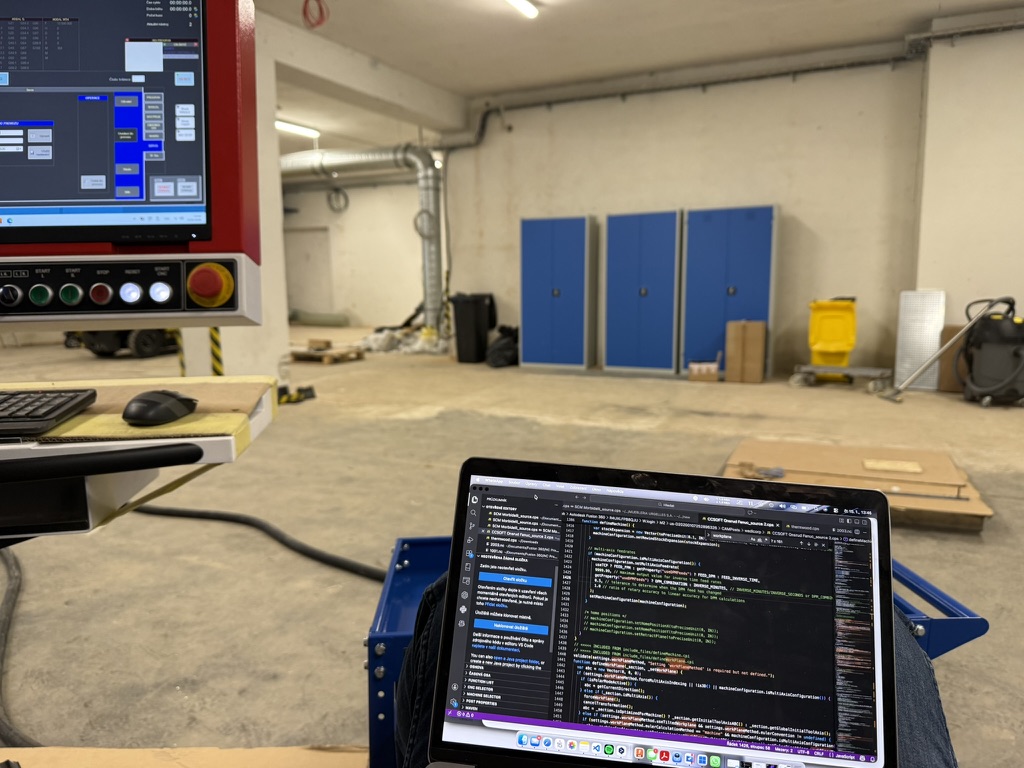
Benefits for GDP Koral: from paper to full digitalization
The newly implemented ecosystem delivered immediate, measurable results for the customer:
- Production setup time cut by tens of percent — no more lengthy manual programming of stops and beams.
- Elimination of human error — automatic pairing of fixtures with beams in a digital environment prevents incorrect material clamping.
- Maximum safety — feedback from Fanuc FOCAS lets the software catch potential collisions before the spindle ever touches the material.
- Flexibility — GDP Koral can react instantly to changes in orders. Setting up a new plastic profile type is now a matter of minutes.
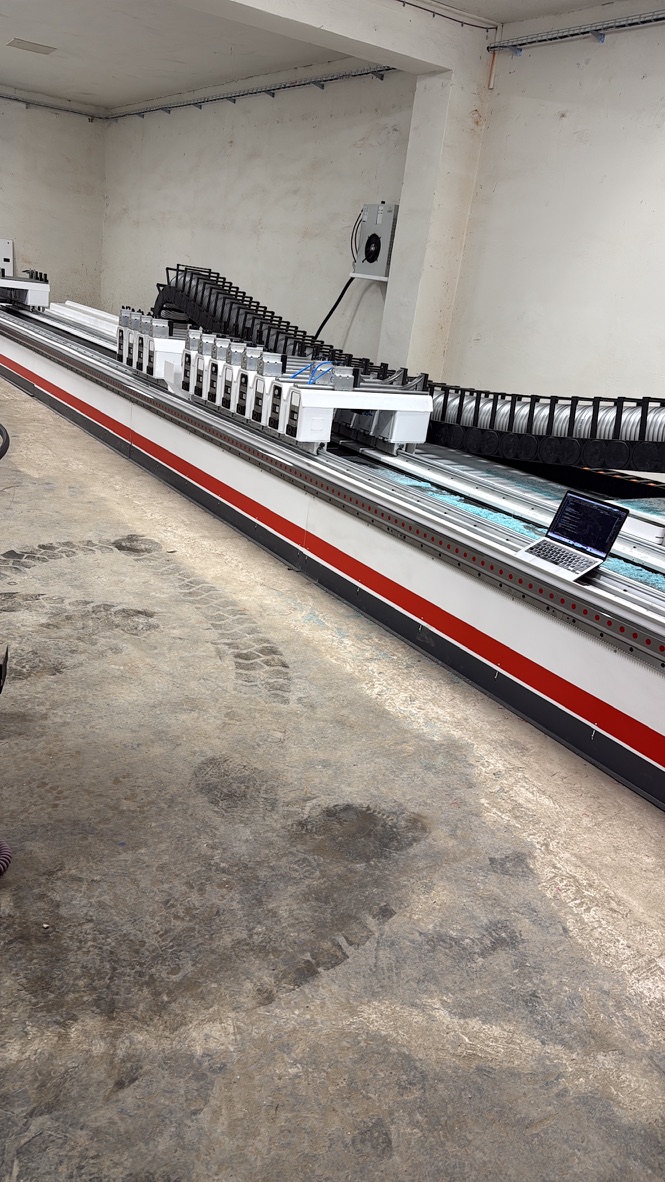
Conclusion: got an unusual machine? We can connect it too
This project is clear proof that Autodesk Fusion isn’t just an “out-of-the-box” CAM package — with the right development experience, it’s an open platform capable of driving even the most complex custom machines on the market. Working with the Czech manufacturer Houfek and tapping into the potential of the Fanuc control system let us push the limits of custom plastics machining at GDP Koral.
Facing a similar challenge in your own shop? Do you have a modern CNC machine whose setup and programming is holding you back? Take a look at how we approach projects like this on our AI automation & CAM integration page, or browse the full list of postprocessors we build for Autodesk Fusion.
Get in touch with CCSOFTCZ — we’ll build a custom add-on, postprocessor, or communication bridge tailored to your needs.
