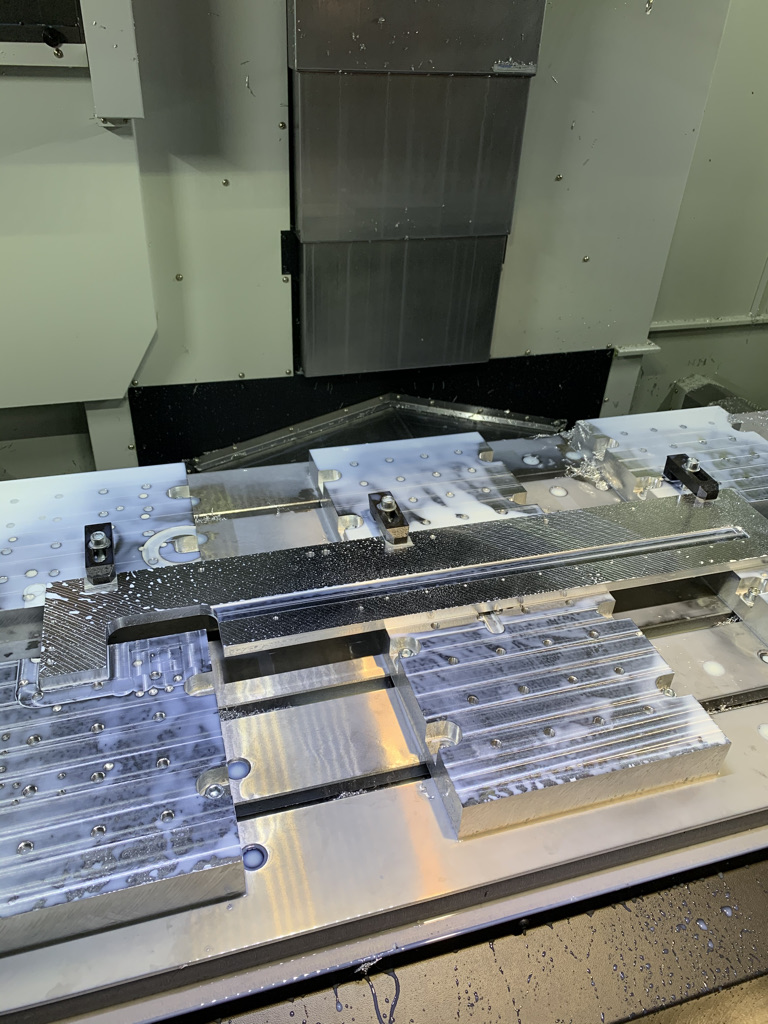
GLEICH Aluminium is a company whose main activity is the worldwide distribution of aluminium plates. With an international presence and a strong manufacturing focus, they work with a broad range of customers that demand precision-machined aluminium components.
In the spring of this year, the company’s branch approached CCSOFTCZ with a request to streamline the programming process of their 3-axis Doosan DNM 7500L machining center — a large-format vertical machining center commonly used for milling, drilling, and tapping aluminium structural parts.
The Challenge: Programming Entirely in ISO Code
Despite operating a modern, capable machine, the branch team had only limited experience with CAD/CAM software. All preparatory work was performed directly on the machine in ISO code — a manual and time-consuming approach that left little room for error and required highly skilled operators to program each job by hand.
This workflow created several bottlenecks:
- High operator dependency — any programming error required manual correction at the machine.
- No 3D model integration — toolpaths had to be calculated manually without reference to a 3D model.
- Limited scalability — complex parts with multiple operations or angle head work took disproportionately long to program.
- No simulation — without a digital environment, verifying a new program meant running it on the machine, risking tooling and workpiece damage.
The Solution: Autodesk Fusion + CCSOFTCZ Fanuc Postprocessor
After a detailed presentation of Autodesk Fusion and its capabilities — including 3D CAD modelling, toolpath generation, simulation, and NC code output — the GLEICH Aluminium team decided to adopt the platform.
Autodesk Fusion is a cloud-based product design and manufacturing platform that covers the full workflow from 3D model to ready-to-run NC code. For manufacturing companies running standard machining centers, it represents one of the most cost-effective ways to introduce a professional CAD/CAM environment without the complexity and cost of traditional enterprise-level systems.
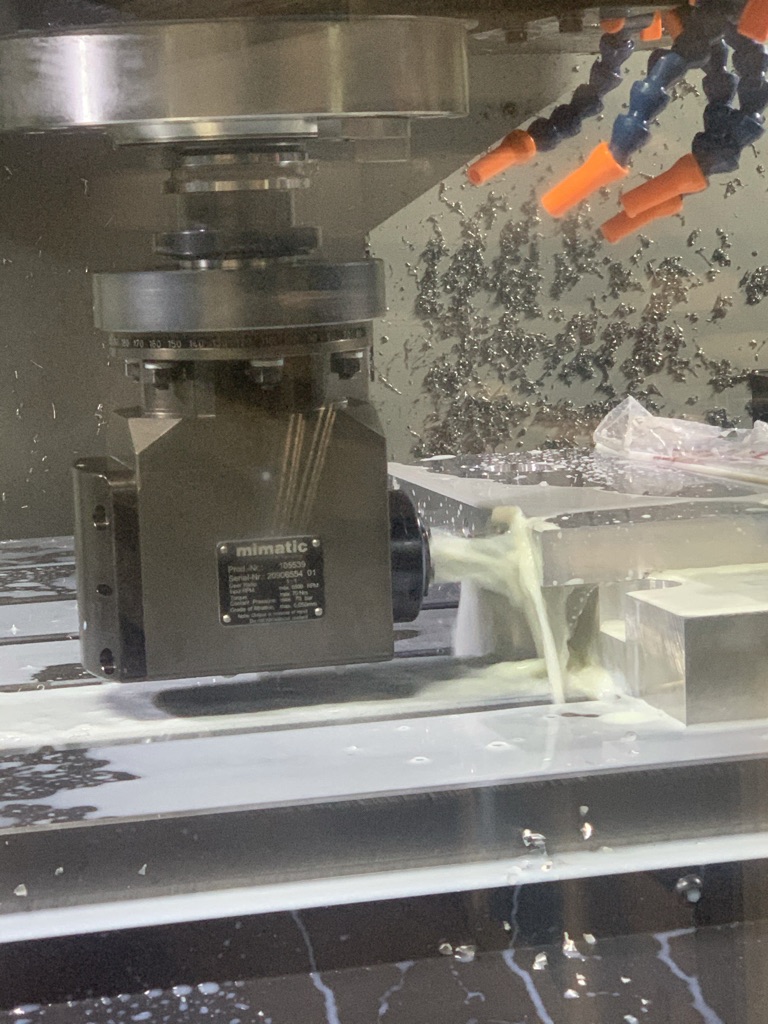
The critical element bridging Autodesk Fusion and the Doosan DNM 7500L was the CCSOFTCZ Fanuc postprocessor. The machine is equipped with a Fanuc control system, and the branch also uses a Mimatic angle unit — a precision right-angle head that extends the machine’s capability to reach features inaccessible to a vertical spindle.
CCSOFTCZ developed and fine-tuned a dedicated .cps JavaScript postprocessor that:
- Correctly outputs G-code for the Fanuc control
- Handles the kinematic requirements of the Mimatic angle unit
- Manages tool changes, spindle orientation, and cycle starts specific to the DNM 7500L configuration
Without a correctly configured postprocessor, Autodesk Fusion’s toolpaths would not produce reliable G-code for this machine. The custom postprocessor is the invisible but essential layer that makes the whole system work.
Implementation: Three Days of Training
Following the software purchase and postprocessor delivery, CCSOFTCZ conducted a 3-day on-site training programme for the GLEICH Aluminium technologists.
The training covered the complete workflow inside Autodesk Fusion — from preparing and modifying 3D models in the CAD environment, through setting up stock, fixtures, and toolpaths in the CAM module, to generating and verifying NC code with the custom Fanuc postprocessor. Special attention was given to the angle head workflow, which requires specific toolpath strategies and postprocessor awareness to avoid collisions and correctly orient the spindle.
By the end of the three days, the team was capable of independently programming their Doosan DNM 7500L from a 3D model through to a verified, simulation-tested NC program — without manual intervention at the machine controller.
Results
The shift from manual ISO programming to a full CAD/CAM workflow delivered measurable improvements across the GLEICH Aluminium production team:
- Faster programming — toolpaths that previously required hours of manual ISO coding are now generated in minutes from a 3D model.
- Improved accuracy — 3D model-based programming eliminates manual calculation errors, leading to first-run success rates on complex parts.
- Simulation before cutting — operators can verify programs digitally before touching the machine, reducing scrap and tooling costs.
- Angle head integration — the custom postprocessor enables reliable, repeatable angle head operations without manual G-code adjustments.
- Knowledge transfer — the training left an independent, capable team that can handle new parts without external support for each new program.
Conclusion
For GLEICH Aluminium, adopting Autodesk Fusion with a CCSOFTCZ custom Fanuc postprocessor was a direct response to a real production bottleneck. The combination of a professional CAD/CAM platform, a machine-specific postprocessor, and structured training delivered a complete, production-ready workflow — moving the team from manual ISO programming to efficient, simulation-driven NC code generation.
If your company is running a machining center without dedicated CAD/CAM software, or if you are looking to unlock more of your machine’s capabilities with a properly tuned postprocessor, contact CCSOFTCZ to discuss your specific situation.
