Fit more parts.
Waste less material.
Import DXF contours or woodworking CNC programs, nest them on one or more panels and export a production layout — without uploading your files.
Import parts, define a sheet and run the calculation.
WOP Nesting Professional
A separate production application for workflows that need to combine WOP parts, materials, stock sheets, machining previews and multi-sheet layouts in one project.
- Production-file import — add MPR, CIX and NC files to a single project.
- Materials and stock sheets — group parts by material and thickness, then assign compatible sheets.
- Controlled rectangular nesting — set gaps, grid, snap tolerance, rotations, formatting allowance and calculation attempts.
- Review and manual editing — inspect machining, switch between sheets, move or lock parts and use undo/redo.
The free browser optimizer above remains available at no cost. WOP Nesting Professional is a separate licensed product for a broader production workflow.
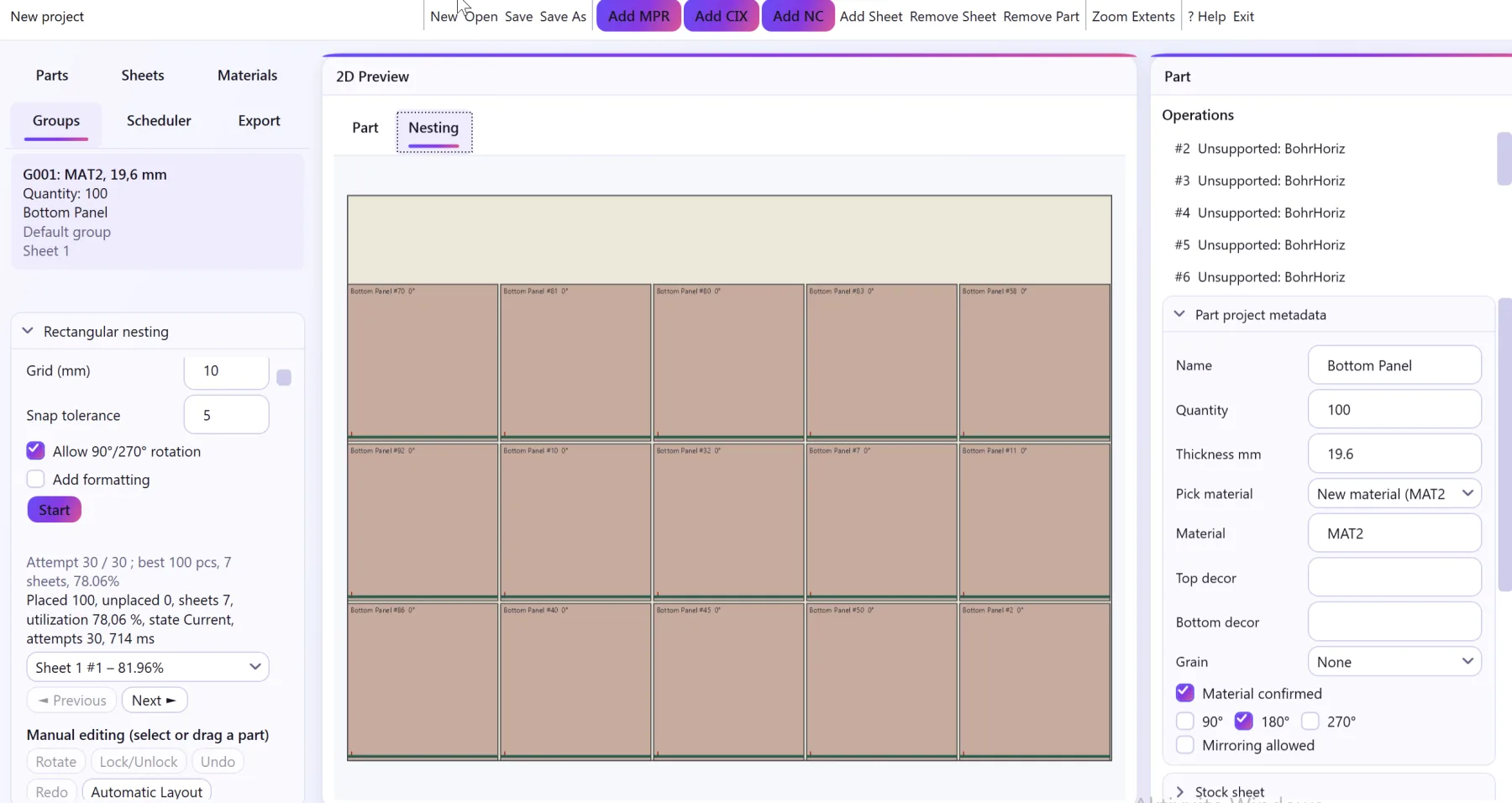
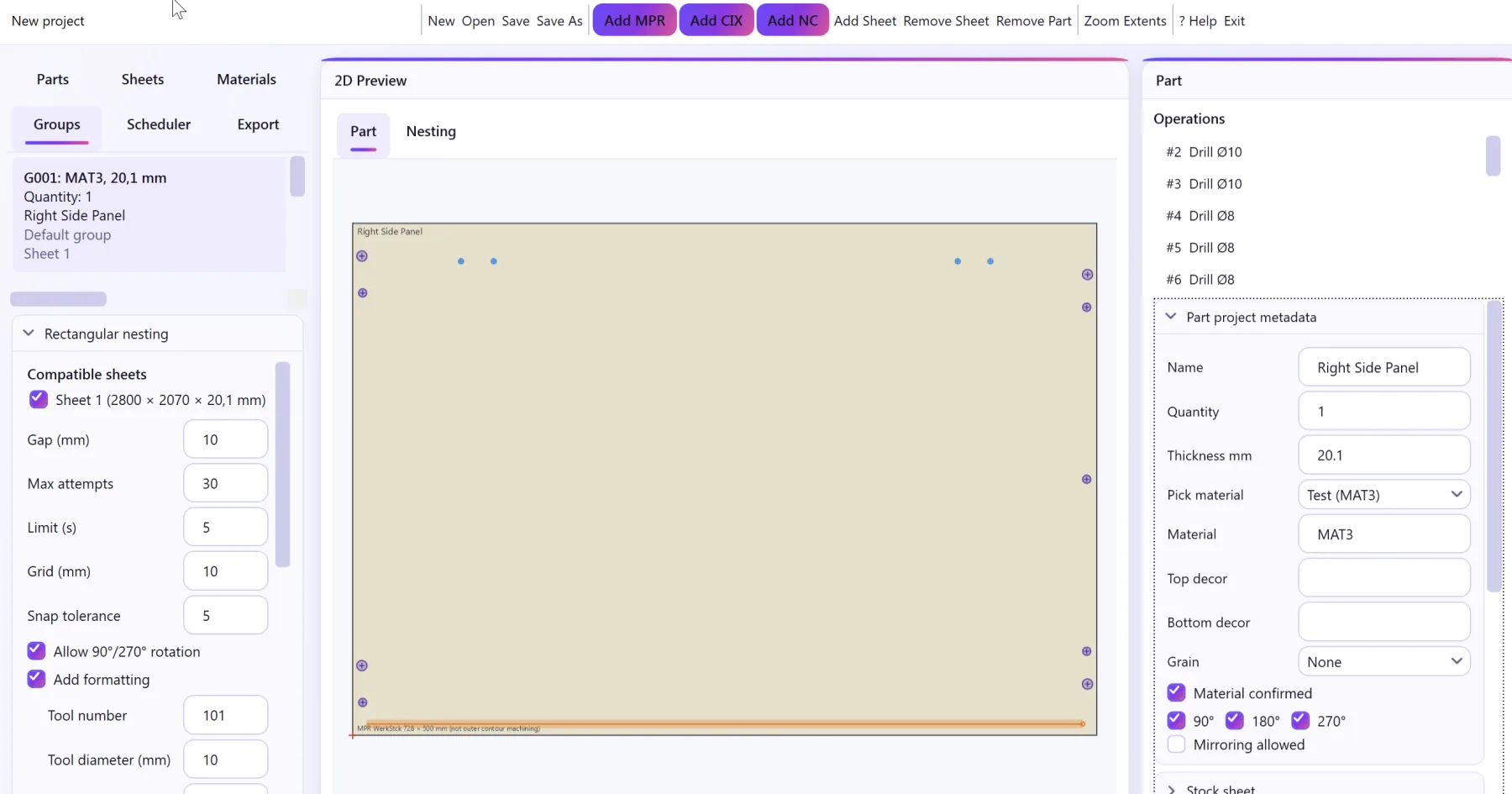
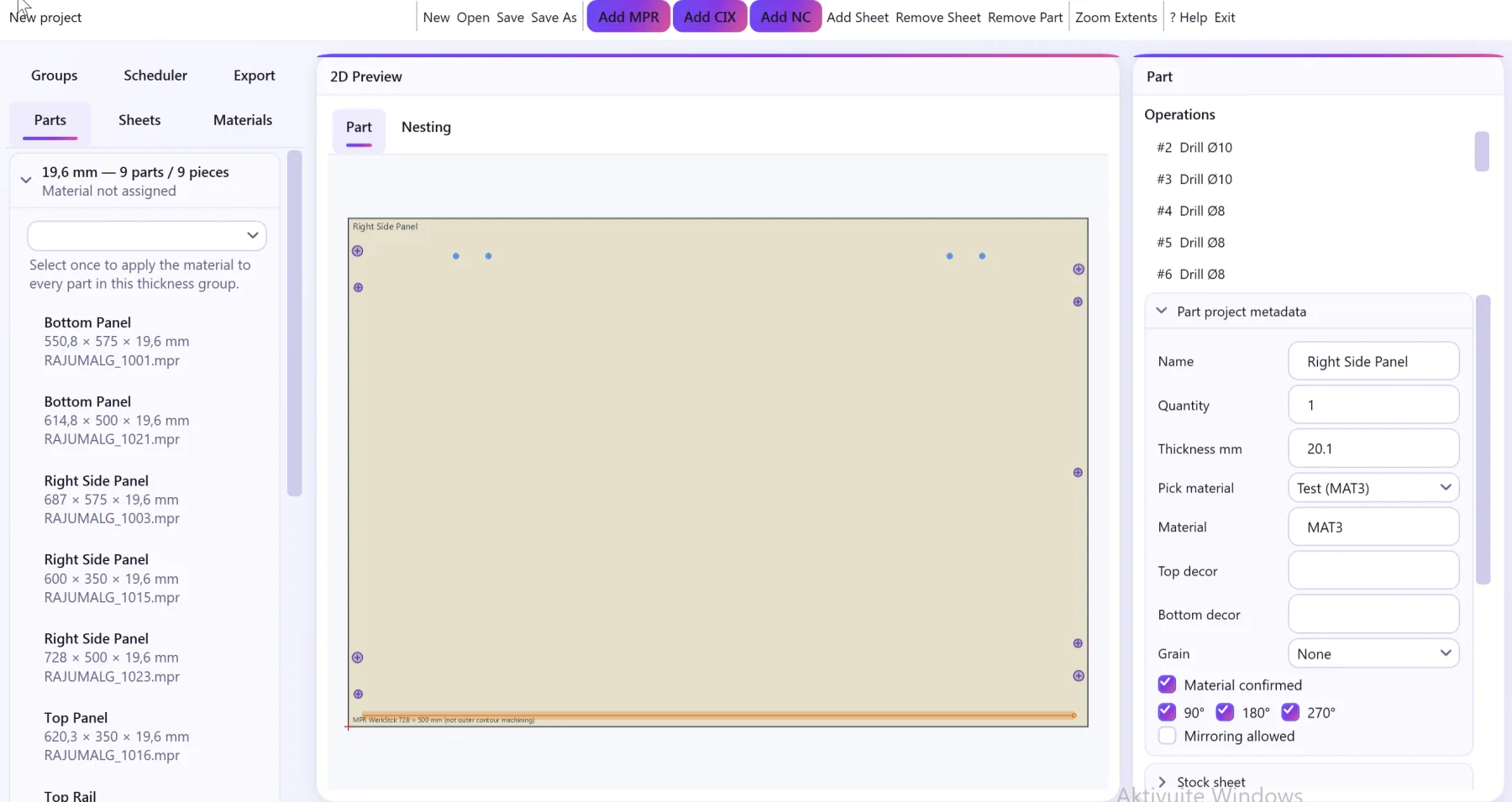
How the nesting tool works
Everything below runs in your browser tab — nothing is uploaded, and closing the tab discards your files.
Drop in DXF contours or MPR, HOP, XCS and XXL CNC programs. The tool reads the WOP blank and overlays recognized drilling, routing, pockets and saw cuts in the part preview.
Add one or more panel sizes and quantities, set material, spacing, allowed rotations and grain direction per part and per sheet.
A Web Worker places parts using MaxRects for rectangular blanks and a deterministic true-shape heuristic for irregular DXF contours — nothing leaves your device.
Check utilization and unplaced parts, drag or nudge placements with the keyboard, then export a DXF, PDF, CSV or JSON layout plan.
Supported file formats
DXF outer contours define true-shape nesting. WOP programs remain rectangular blanks for collision calculations, while their recognized machining is drawn as a separate visual layer that moves and rotates with each part.
- DXF — true-shape 2D contours (lines, arcs, circles, polylines, splines) imported with their real outline, including holes.
- MPR / MPRX — Homag/WoodWOP programs; declared blank plus recognized vertical/horizontal drilling, line/arc routing, pockets and saw cuts.
- HOP — Holzher NC HOPS programs; Finished_Part dimensions plus recognized drilling, routing, arcs and saw operations, including supported work planes.
- XCS — SCM Maestro programs; workpiece calls plus recognized native drilling, routing, pocket and blade-cut operations.
- XXL — SCM Xilog programs; header dimensions plus recognized drilling and G0/G1/G2/G3 routing geometry.
Frequently asked questions
Is this browser nesting tool really free?
Yes. The browser optimizer remains free, with no signup or trial limit. WOP Nesting Professional is a separate licensed application for a broader production workflow.
Do my DXF or CNC files get uploaded anywhere?
No. Every file is parsed and nested locally in your browser using a Web Worker. No file content is sent to CCSOFTCZ or any third party at any point.
Is the exported layout a ready-to-run CNC program?
No. DXF, PDF, CSV and JSON exports are a layout plan showing where each part goes on the sheet — they still need to go through your CAM software and postprocessor to become machine code.
How accurate is the nesting result?
MaxRects placement for rectangular blanks (MPR, HOP, XCS, XXL) is exact. Irregular DXF contours use a deterministic true-shape heuristic that checks actual polygon edges, not just bounding boxes — it gives good practical utilization but does not guarantee a global optimum the way a full solver would.
What is grain direction, and why does it matter?
Grain direction (or wood/laminate pattern direction) restricts which rotations are valid for a part on a given sheet. When enabled, the tool only offers rotations that keep the part's grain aligned with the sheet's.
Who built this tool?
CCSOFTCZ, a company that has written custom CNC postprocessors and Autodesk Fusion CAM integrations for woodworking manufacturers for 18+ years. This nesting tool comes from that same production experience.
How much does WOP Nesting Professional cost?
The licence price is EUR 1,200. Supported formats, delivery and the fit for your production workflow are confirmed before purchase.
Parsing, nesting and exports run locally in this browser. No DXF or CNC file is sent to CCSOFTCZ or any third party.
Built by the team behind CCSOFTCZ, which writes custom CNC postprocessors and Autodesk Fusion CAM integrations for woodworking manufacturers.