
Autodesk Fusion / Fusion 360 CAM
Create the setup and toolpaths in Fusion Manufacture.
Fusion toolpaths, translated into a machine-specific HOP program.
Generate machine-specific .HOP programs from Autodesk Fusion (Fusion 360) CAM for HOLZ-HER CNC machines running NC HOPS. Configuration is available for 3-axis, indexed 3+2 and simultaneous 5-axis machining, drilling, routing and aggregates where supported by the actual machine.
Compatibility is confirmed from the exact machine model, NC HOPS version and installed equipment.
Already have your postprocessor? View the installation guide →
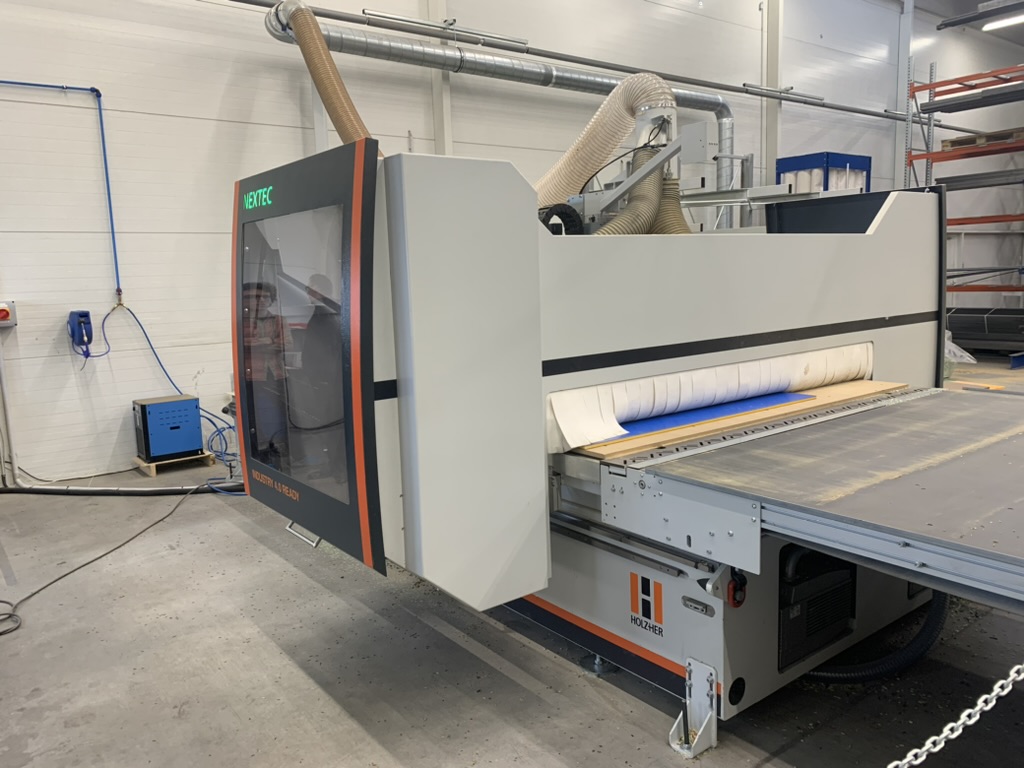
Yes. Autodesk Fusion, also widely known as Fusion 360, can generate machine-ready .HOP files for HOLZ-HER CNC machines running NC HOPS when using a machine-specific postprocessor. The generated program is prepared for the customer's HOLZ-HER machine and NC HOPS configuration, including agreed machining operations, tool calls and machine-specific functions.
Autodesk Fusion can remain the main CAM system while NC HOPS is used to open, inspect and verify the generated program in the machine-side workflow.
This product is not the NC HOPS software itself. It is an Autodesk Fusion postprocessor designed for HOLZ-HER CNC machines using NC HOPS.
If you already operate a HOLZ-HER machine with NC HOPS and want to prepare CNC programs directly in Autodesk Fusion, this postprocessor provides the connection between Fusion CAM and the machine workflow.
A readable route from CAM programming to a verified machine program. Each output rule is aligned with the actual HOLZ-HER configuration.
Create the setup and toolpaths in Fusion Manufacture.
Translate CAM data using machine-specific rules.
Generate the program in .HOP format.
Open the program in the machine environment.
Inspect operations, tools and simulation where available.
Run the verified program using safe proving procedures.
The postprocessor converts Fusion CAM operations into .HOP programs prepared for NC HOPS, avoiding manual recreation of the same machining operations at the machine.
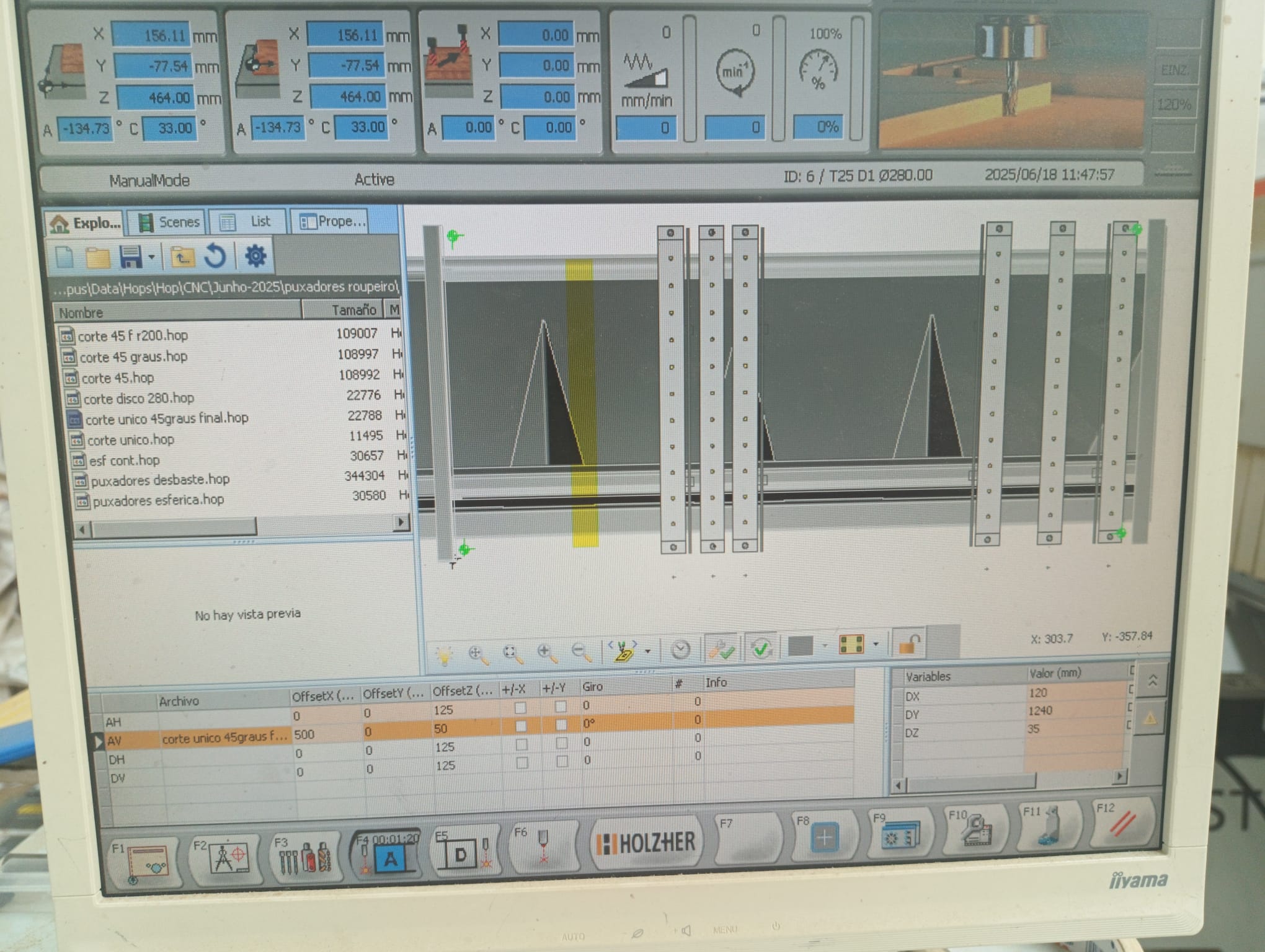
Configuration note: exact functionality depends on the machine, controller, NC HOPS version and installed equipment. Support is never assumed solely from the machine family name.
The postprocessor is adjusted to the specific machine rather than supplied as a generic universal postprocessor.
| HOLZ-HER family | Typical scope | Possible workflow | Status |
|---|---|---|---|
| EPICON | 5-axis routing, drilling and machine macros | Fusion → HOP → NC HOPS | Individual confirmation |
| DYNESTIC / NEXTEC | Nesting and panel processing | Fusion → HOP → NC HOPS | Individual confirmation |
| EVOLUTION / PRO-MASTER | Vertical, 3-axis, 4-axis or 5-axis machining by model | Assessed from machine files | Individual confirmation |
| POWER-PIN | Drilling and dowel insertion workflow | Confirmed from samples | Individual confirmation |
Routing, drilling, pockets, contours, slots and other agreed standard operations.
Indexed machining with available rotary axes while tool orientation remains fixed during the cut.
Simultaneous five-axis toolpaths where supported by the machine kinematics and NC HOPS environment.
Compatibility is confirmed from the exact model, production year, NC HOPS version, axes, tools, drilling head, aggregates, macros and known working HOP programs.
Many users still search for the software under its former name Fusion 360. The postprocessor works with current Autodesk Fusion versions and generates NC HOPS compatible HOP output for supported HOLZ-HER CNC machines. For the wider CAM context, see Autodesk Fusion for woodworking CNC.
| Product | CCSOFTCZ Holzher Fusion Postprocessor |
|---|---|
| CAM software | Autodesk Fusion |
| CNC | HOLZ-HER |
| Machine software | NC HOPS |
| Application | CNC machining / woodworking |
| Output | .HOP program, NC HOPS compatible |
| Axes | 3-axis / 3+2 indexed / 5-axis, depending on machine configuration |
| Installation | Remote |
Generated programs can be opened in NC HOPS for visual inspection, operation review, tool checks and machine-side simulation where available.
Review program structure, machining operations, tool calls and the available machine simulation before initial testing.
Supported HOP files can also be inspected in the free CCSOFTCZ WOPviewer, including program geometry, operations and selected source information.
New output is compared with known working programs and verified in NC HOPS. Initial machine tests must be performed carefully with suitable safety settings and reduced feeds where necessary.
See the practical guide with real Autodesk Fusion toolpaths, NC HOPS screens and machine-side workflow examples.
For compatible NC HOPS tool formats, an optional import utility can reduce manual Fusion tool-library work and tool-number mismatches.
The utility reads compatible tool information from the machine environment and recreates it in Autodesk Fusion, including available tool numbers, dimensions and materials.
Technical pages provide more context without duplicating the product specification.
Preparation happens before the remote handover, so the integration session can focus on verification, setup and the user's production workflow.
Send the model, year, NC HOPS version, equipment and several known working HOP programs.
Output rules are adjusted to the machine, tools, drilling head, aggregates, limits and macros.
Generated programs are reviewed in NC HOPS and compared with proven machine programs.
The workflow is installed and explained remotely. A typical session takes approximately 2–3 hours.

Postprocessor developer and CAD/CAM integration specialist with more than 18 years of experience in CNC machining, Autodesk Fusion workflows and production automation.
About Marek and CCSOFTCZ →Final scope and price depend on the exact machine configuration and required functions.
Prices are starting prices in EUR. Compatibility, final scope and quotation are confirmed after reviewing the machine model, NC HOPS version and installed equipment.
A trial can be prepared after confirming the exact HOLZ-HER machine model and NC HOPS version. This avoids presenting a generic file as if it were suitable for every machine.
Technical support is provided directly by the developer after installation. Adjustments can be made when the agreed machine configuration or workflow requires them.
Request a trial →Practical answers about Fusion, HOP output, compatibility, testing and support.
Yes. A machine-specific postprocessor can convert Autodesk Fusion CAM toolpaths into .HOP programs prepared for the customer's NC HOPS environment.
Yes. CCSOFTCZ provides a machine-specific Autodesk Fusion / Fusion 360 postprocessor for HOLZ-HER CNC machines running NC HOPS. The postprocessor generates HOP output directly from Fusion CAM and can be configured for 3-axis, 3+2-axis and 5-axis machines.
Yes. Autodesk Fusion can be the CAM system while a machine-specific postprocessor generates HOP output for a compatible HOLZ-HER CNC machine.
Normally yes. NC HOPS remains part of the machine workflow and is used to open, inspect and verify the generated program.
EPICON, DYNESTIC, NEXTEC, EVOLUTION, PRO-MASTER and POWER-PIN machines can be evaluated. Compatibility depends on the exact model, NC HOPS version and installed equipment.
Simultaneous 5-axis output can be configured where it is supported by the machine kinematics and NC HOPS environment.
Vertical and horizontal drilling, drilling heads, routing aggregates, angle aggregates and machine-specific tool selection can be included according to the installed equipment.
Yes. The generated HOP program can be opened and inspected in NC HOPS before careful initial machine testing.
Supported HOP files can also be inspected in the browser with the free CCSOFTCZ WOPviewer.
Send the exact machine model, production year, NC HOPS version, axis and tool configuration, drilling and aggregate information, relevant documentation and several known working HOP programs.
A typical remote integration and user training session takes approximately 2–3 hours after the postprocessor has been prepared.
No. It is configured for the specific machine rather than supplied as a generic universal postprocessor.
Yes. A trial can be prepared after the exact HOLZ-HER machine model and NC HOPS version have been confirmed.
Send the minimum technical details for a compatibility check, exact quotation or individually prepared trial.