Production files
Production PDF report, a ZIP package of DXF drawings of the individual parts and STEP export.
Autodesk Fusion add-in for timber stairs
Design straight and L-shaped timber stairs parametrically and prepare the production documents for them without leaving Autodesk Fusion.
Design: PDF report, DXF part drawings and STEP · Design + CAM: Fusion CAM machining preparation and NC files
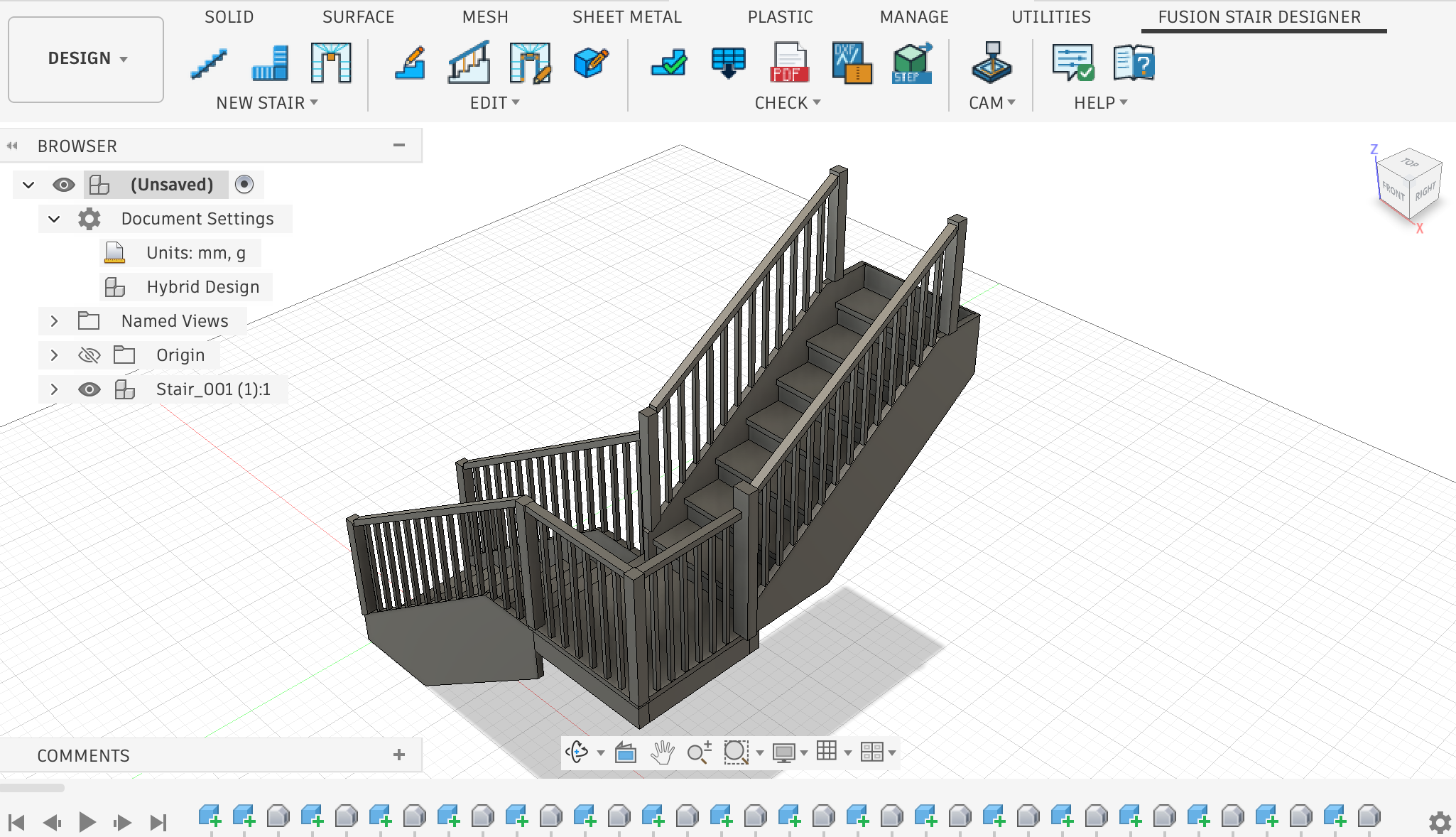
11-minute walkthrough
Watch the real add-in generate a complete parametric stair assembly in Autodesk Fusion and adjust dimensions, treads, risers, stringers and joints. The resulting geometry carries on into documentation and CAM programming.
One connected product
Fusion Stair Designer is a CCSOFTCZ add-in for Autodesk Fusion on Windows and macOS that designs timber stairs parametrically and prepares the production documents for them. It supports straight stairs and L-shaped stairs with a landing, including railings. U-shaped stairs with winder treads are available as a geometric preview only.
It is not a standalone application: it does not work without an installed Autodesk Fusion.
Production PDF report, a ZIP package of DXF drawings of the individual parts and STEP export.
Everything in Design, plus CNC machining preparation in Fusion CAM including NC files.
One controlled workflow
Fusion Stair Designer turns the dimensions you already know into a parametric Fusion assembly. Change the stair parameters, regenerate the assembly and export the production files again.
Set the stair dimensions in a guided Fusion dialog.
Create treads, risers, stringers, landing and railing as a parametric Fusion assembly.
Reopen the stair parameters and regenerate the assembly.
Production PDF report, DXF drawings of the individual parts (ZIP) and STEP.
Design + CAM edition only: machining preparation in Fusion CAM including NC files.
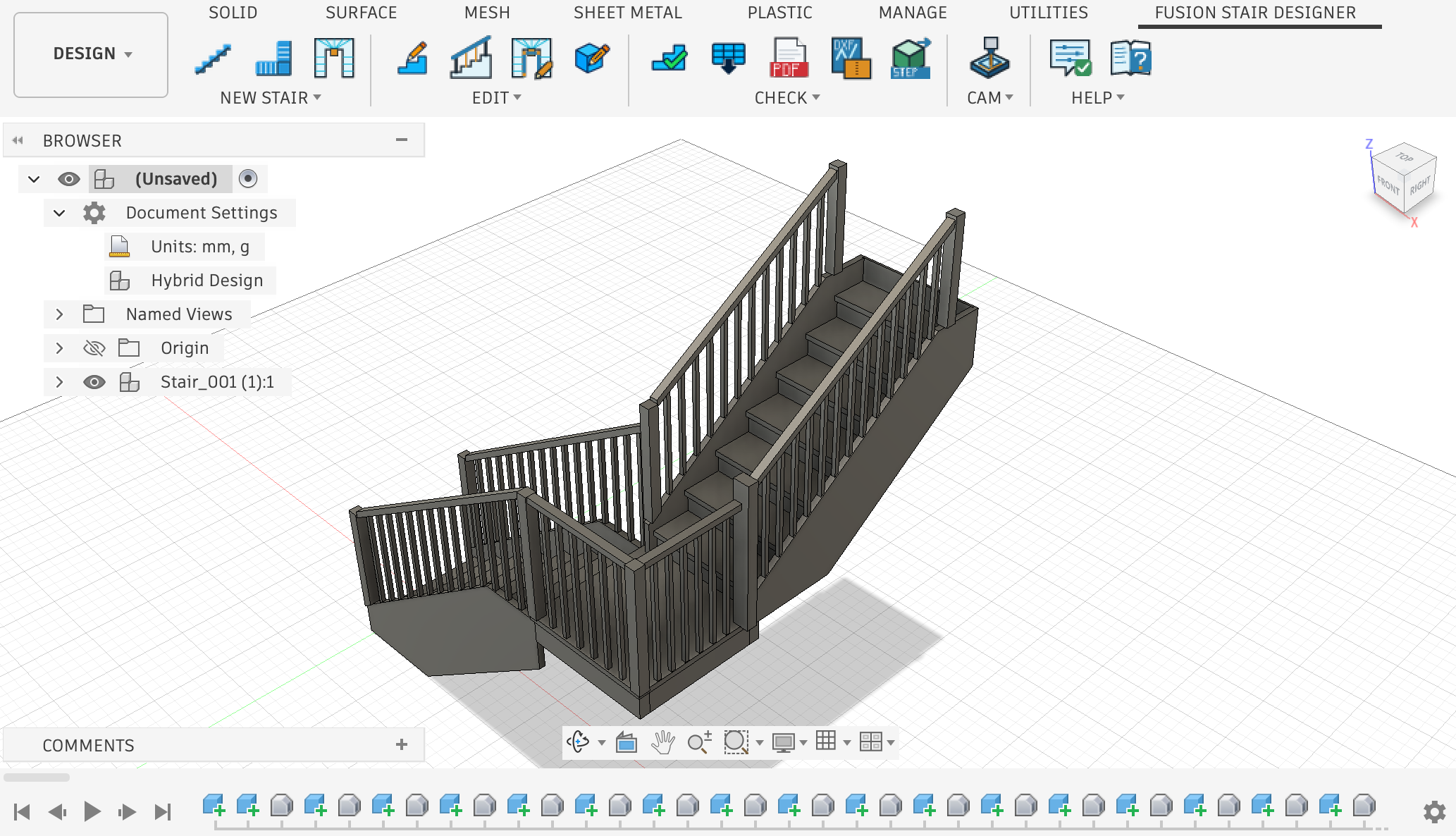
Built in Autodesk Fusion
Every tread, riser, stringer and railing member is created inside Autodesk Fusion. Select the stair, reopen its parameters and regenerate the assembly.
The built-in help opens directly inside Fusion and remains available without an internet connection. The add-in interface and the help are in English.
Production outputs
Create the production documents from the parametric stair model. With the Design + CAM edition, the same stair continues into Fusion CAM and NC files.
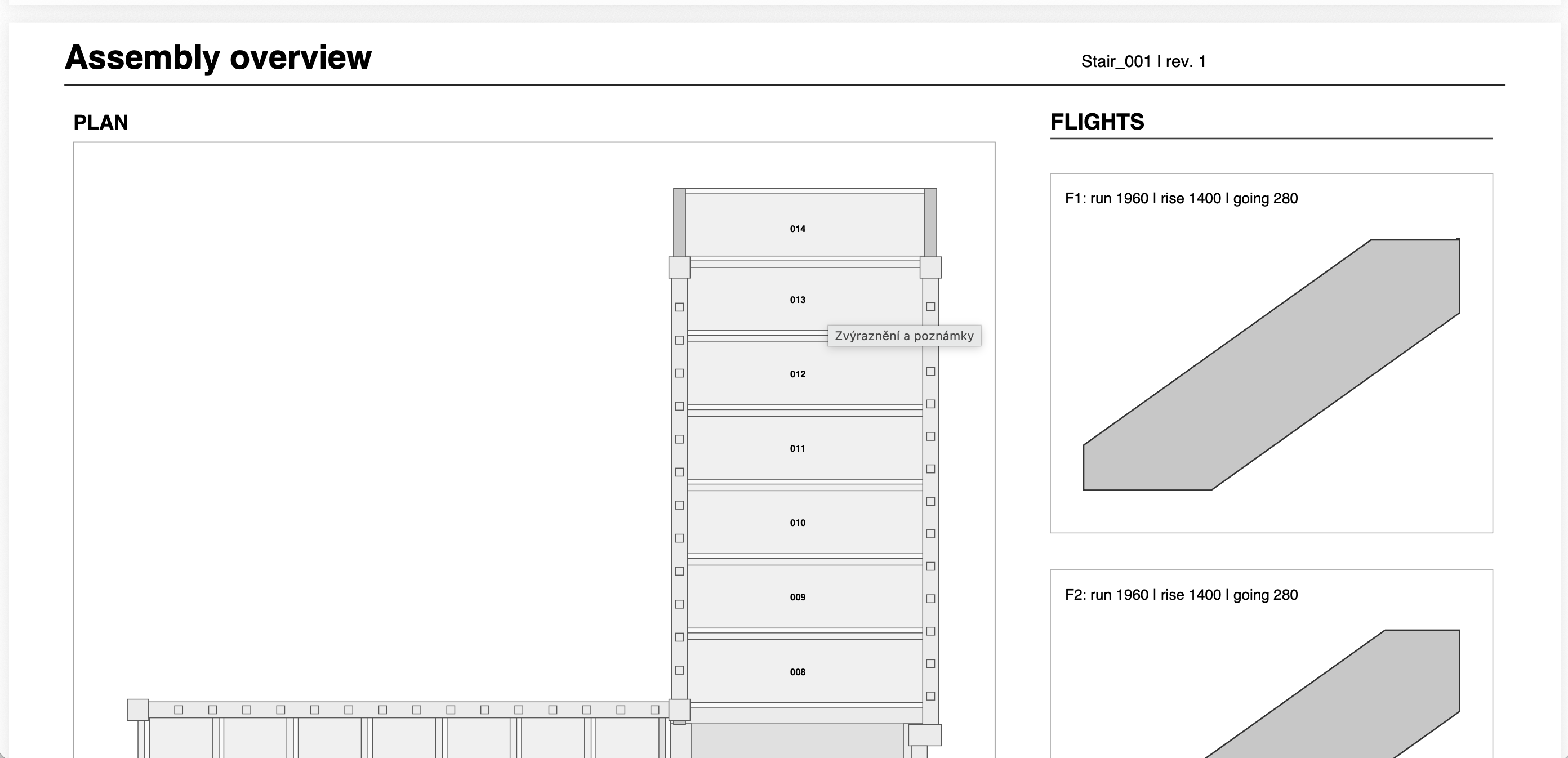
A production PDF report for the stair.
A ZIP package of DXF drawings of the individual parts.
STEP export of the stair.
Machining preparation in Fusion CAM including NC files. The NC output is not approved for a specific machine: simulate and check it in Fusion before machining.
Important notices
The add-in does not assess structural design, compliance with building regulations or headroom. The user is responsible for the design.
The NC output is not approved for any specific machine. Before machining, it must be simulated and checked in Fusion.
Manual changes made to the model in Fusion are not carried over into the exports (PDF, DXF, CAM).
Download
The add-in runs as a full trial, CAM included, for 3 days from its first start. Autodesk Fusion is required and is not included.
Installation guide
Autodesk Fusion must be installed, started at least once and signed in.
Close Fusion before you install.
The installation does not need administrator rights and applies only to the user currently signed in to the computer.
After the installation, start Fusion. The Fusion Stair Designer tab appears in the Design workspace.
If the tab does not appear: open UTILITIES > ADD-INS > Scripts and Add-Ins, select Fusion Stair Designer and run it.
Installing over an older version keeps your licence, trial period and settings.
Run FusionStairDesigner-0.24.0-windows.exe.
The installer is not digitally signed yet. Windows shows the “Windows protected your PC” window: click More info and then Run anyway.
To uninstall: Windows Settings → Installed apps → Fusion Stair Designer.
The package FusionStairDesigner-0.24.0-macos.pkg is not digitally signed yet, so a double-click will not open it. Right-click the file and choose Open. If the system still refuses to open it: System Settings → Privacy & Security → Open Anyway.
To uninstall: delete the folder ~/Library/Application Support/Autodesk/Autodesk Fusion 360/API/AddIns/FusionStairDesigner.
The installer does not support the Mac App Store edition of Autodesk Fusion.
The add-in offers a new version directly inside Fusion. You can also check yourself with Check for Updates….
Trial, editions and licence
Try everything, CAM included, for 3 days from the first start of the add-in. After the trial ends, the commands require a licence key. Both editions are one-time licences without a time limit and include future updates.
EVERYTHING EXCEPT THE CAM PANEL
one-time payment · lifetime licence
WITH THE CAM PANEL
one-time payment · lifetime licence
The NC output is not approved for any specific machine. Before machining, it must be simulated and checked in Fusion.
The licence is tied to the e-mail of the Autodesk account signed in to Fusion. The key works on every computer where Fusion is signed in with that account.
In Fusion, open the Fusion Stair Designer tab → Help panel → License… and copy the value of the Autodesk account field.
Open the same License… dialog, paste the key into the License key field and confirm with OK.
Order a licence
The form sends your order to CCSOFTCZ by e-mail. You will receive a confirmation that it arrived, and your licence key by e-mail once the order has been processed.
Before you choose
Straight stairs and L-shaped stairs with a landing. U-shaped stairs with winder treads are available as a geometric preview only.
Yes. Fusion Stair Designer is an add-in for Autodesk Fusion on Windows and macOS, not a standalone application. It does not work without an installed Autodesk Fusion, which is not included.
The trial lasts 3 days from the first start of the add-in and covers everything, CAM included. After the trial ends, the commands require a licence key.
No. The listed price is a one-time payment for a licence without a time limit, including future updates.
The licence is tied to the e-mail of the Autodesk account signed in to Fusion. The key works on every computer where Fusion is signed in with that account.
Yes. The Design + CAM edition prepares CNC machining in Fusion CAM including NC files. The NC output is not approved for any specific machine; before machining, it must be simulated and checked in Fusion.
No. The add-in does not assess structural design, compliance with building regulations or headroom. The user is responsible for the design.
Your order is sent to CCSOFTCZ by e-mail and you receive a confirmation that it arrived. The licence key is sent to your contact e-mail once the order has been processed.
Contact
Write to us at info@ccsoftcz.com.